Paid Media
Google Ads conversion delay: when should you judge CPA and ROAS?
Is your Google Ads CPA really too high? Check conversion delay, compare equally mature periods and use a worked example before changing bids or budgets.
Arturs Rubins · · 8 min read
A recent campaign period can show all its spending before all its conversions have arrived. Before treating a higher CPA or lower ROAS as a performance problem, check conversion delay, reporting dates and the business outcome you are measuring.
This guide helps a campaign owner decide whether to wait, investigate or make a controlled change. It is distinct from our GA4 versus Google Ads reconciliation guide: the question here is how the same Google Ads period develops over time. CPCInsider co-founder Arturs Rubins brings former Google experience to our paid-media work. The calculations below are fictional, not client results or a promise that missing conversions will arrive.
1. Separate three different clocks
Write down the conversion action first: an enquiry, qualified opportunity and sale can have very different timelines. A form submitted today does not prove that a customer will buy tomorrow.
Google defines the conversion cycle as the time from click to conversion, including reporting time when conversions are imported. For your own diagnosis, separate the customer's decision time, integration/reporting time and the date basis of the report. These are practical investigation categories, not three new Google Ads metrics.
| Question | Evidence to collect | Why it matters |
|---|---|---|
| When did the person respond? | Ad interaction and business event times | A buyer may need several visits |
| When did the outcome reach Ads? | Successful import or collection log | A delayed or failed integration needs its own check |
| Which date receives the credit? | Exact column and account time zone | Two valid views can allocate the same outcome differently |
Do not shorten a conversion window merely to make a weekly report look tidier. Decide what action and window make commercial sense before interpreting the result.
2. Inspect the account's delay evidence
Open a relevant campaign's bid strategy report where available. Google's bid strategy reporting guide describes conversion-delay information and recommends allowing reported conversions to arrive before evaluating bidding performance. If a delay estimate is unavailable, record that limitation; it does not establish zero delay.
Google also documents a Days to conversion segment: on the Campaigns page, choose Segment → Conversions → Days to conversion. Review older data that has had time to develop, and inspect actions separately when their timelines differ. Follow the current interface labels in your account.
Save the campaign, selected action, date range, export time and relevant notes. Avoid deriving a permanent rule from one unusually fast customer or a handful of conversions. A mature period can still be too small for a useful decision.
3. Compare periods at the same reporting age
A calendar week ending yesterday is younger than one ending a month ago. Comparing them without acknowledging that difference can reward the older period simply because it has had longer to collect outcomes.
Use one of two practical approaches:
- Mature-period review: exclude the recent interval still affected by your observed delay, then compare equal-length periods with consistent actions, settings and attribution scope.
- Same-age snapshots: export each campaign period at a consistent age after its end, then keep a later snapshot for the eventual result. Do not overwrite the first export.
Choose the observation interval from your account's evidence and sales process. There is no universal rule that seven days makes every campaign ready to judge. Document changes to goals, offers, budgets, tagging or imports; equal age does not remove those differences.
For questions about when sales happened, conversion-time columns can help. Do not automatically divide this week's spending by conversions that happened this week: some of those outcomes may belong to earlier ad interactions. Keep the date basis explicit.
4. Work through a fictional example
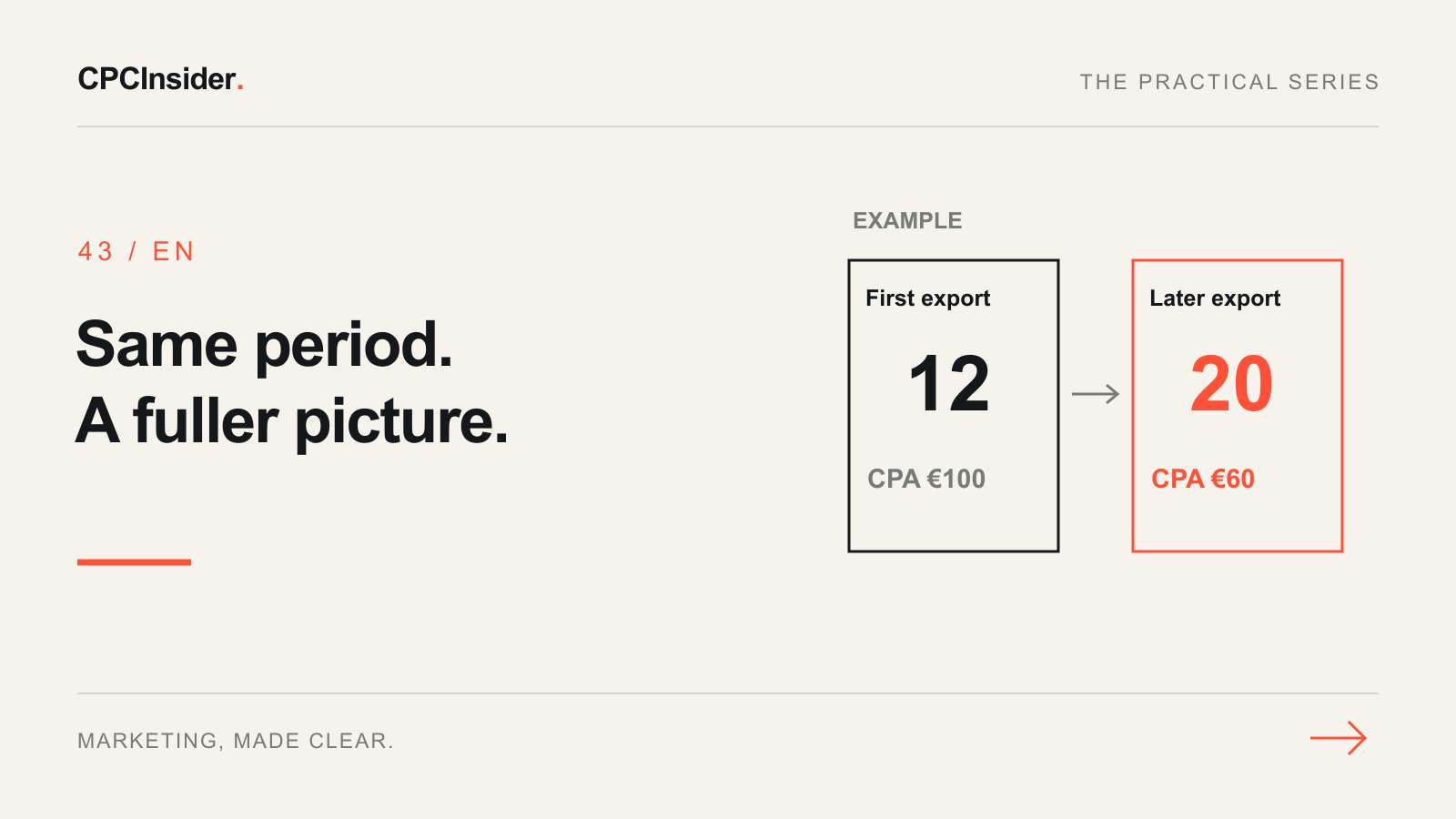
Assume a fixed seven-day interaction period has €1,200 spend. Both snapshots use the same campaign, conversion action, settings and scope. Later reporting adds conversions credited to that same period; there is no new media spending in the selected period.
| Snapshot of the same period | Conversions | Conversion value | CPA | ROAS |
|---|---|---|---|---|
| First export | 12 | €2,400 | €100 | 2× |
| Later export | 20 | €4,000 | €60 | 3.33× |
CPA = €1,200 ÷ conversions. ROAS = conversion value ÷ €1,200. The first snapshot contained 60% of the conversions shown in the later one. This does not mean a bid change improved performance: the reporting for the fixed period developed.
The later snapshot is not guaranteed to be final. Never apply this fictional 60% proportion to your own account as a forecast. Even an account's historical completion pattern may change after a new offer, sales process or measurement setup.
Conversion value is not automatically profit. Use our break-even ROAS guide before deciding whether a mature result meets your economics, and keep CPC, CPA and CAC separate.
5. Decide whether to wait or investigate
| Situation | Sensible next step | What not to conclude |
|---|---|---|
| Only recent periods look weak; older periods develop normally | Keep a dated snapshot and schedule the next review | Every missing conversion will arrive |
| Imports stopped or a successful form is not recorded | Test the measurement route and repair a confirmed fault | The problem is simply buyer hesitation |
| Mature comparable periods also worsen | Inspect demand, query fit, offer, quality and change history | Delay explains every decline |
| A few conversions swing the average sharply | Extend observation within the agreed spending limit | A small change proves a winner |
| More reported leads, fewer accepted by sales | Review CRM qualification and follow-up | Better platform CPA means more customers |
A broken landing page, wrong offer or confirmed measurement failure warrants prompt attention. Waiting for data maturity is not a reason to ignore damage. Conversely, multiple bid and goal changes during an unclear period make the eventual result harder to interpret.
Copy the next-review note
Before the next budget decision, fill these fields:
- Campaign and action being evaluated; what counts as a business outcome.
- Interaction period, date basis, time zone and snapshot date.
- Spend, reported conversions, conversion value and delay evidence.
- CRM acceptance or sales status, checked separately from platform attribution.
- Recent changes and unresolved measurement issues.
- Decision: retain, investigate or test one change; named owner and next review condition.
Use the CPC strategy guide to turn this evidence into a bounded acquisition plan. Keep any forecast distinct from observed conversions and avoid presenting a waiting period as a performance guarantee.
Make the next advertising decision with clearer evidence
Our Google Ads and Meta Ads management service connects campaign decisions with tracking and commercial outcomes. Book a free 30-minute founder-led growth review: discuss your main constraint and receive a short written plan with three priorities, with no obligation to hire CPCInsider. Implementation scope is agreed separately.
About the author
Free founder-led growth review
Are your ads attracting the right customers?
In a focused 30-minute conversation, we review your advertising, website and sales follow-up together. Afterwards, you receive a short written action plan you can use with your own team or with ours.
Your biggest growth gaps
See where your ads, website or follow-up may be losing potential customers.
Your next 3 priorities
Get a ranked action list with the reason for each recommendation and what to check next.
A practical starting plan
Leave with clear next steps for your team, plus our recommendation if you want help implementing them.
Continue reading
Google Ads management: what to check weekly and monthly
Use a weekly Google Ads checklist to review budgets, search terms, tracking and lead quality. Decide what to change and record the evidence.
Primary vs secondary conversions in Google Ads: what should guide bidding?
Choose primary and secondary Google Ads conversions, check campaign goals and avoid duplicate signals. Follow practical GA4 import and verification steps.
Why do GA4 and Google Ads show different conversions?
GA4 and Google Ads disagree? Compare conversion actions, dates, attribution and duplicate tracking with a practical reconciliation checklist.