Analytics & CRM
GA4 payment referrals: a checkout attribution checklist
Payment providers appearing as traffic sources in GA4? Diagnose checkout returns, choose referral or cross-domain settings and verify the result with a test log.
Vladlens Kecko · · 7 min read
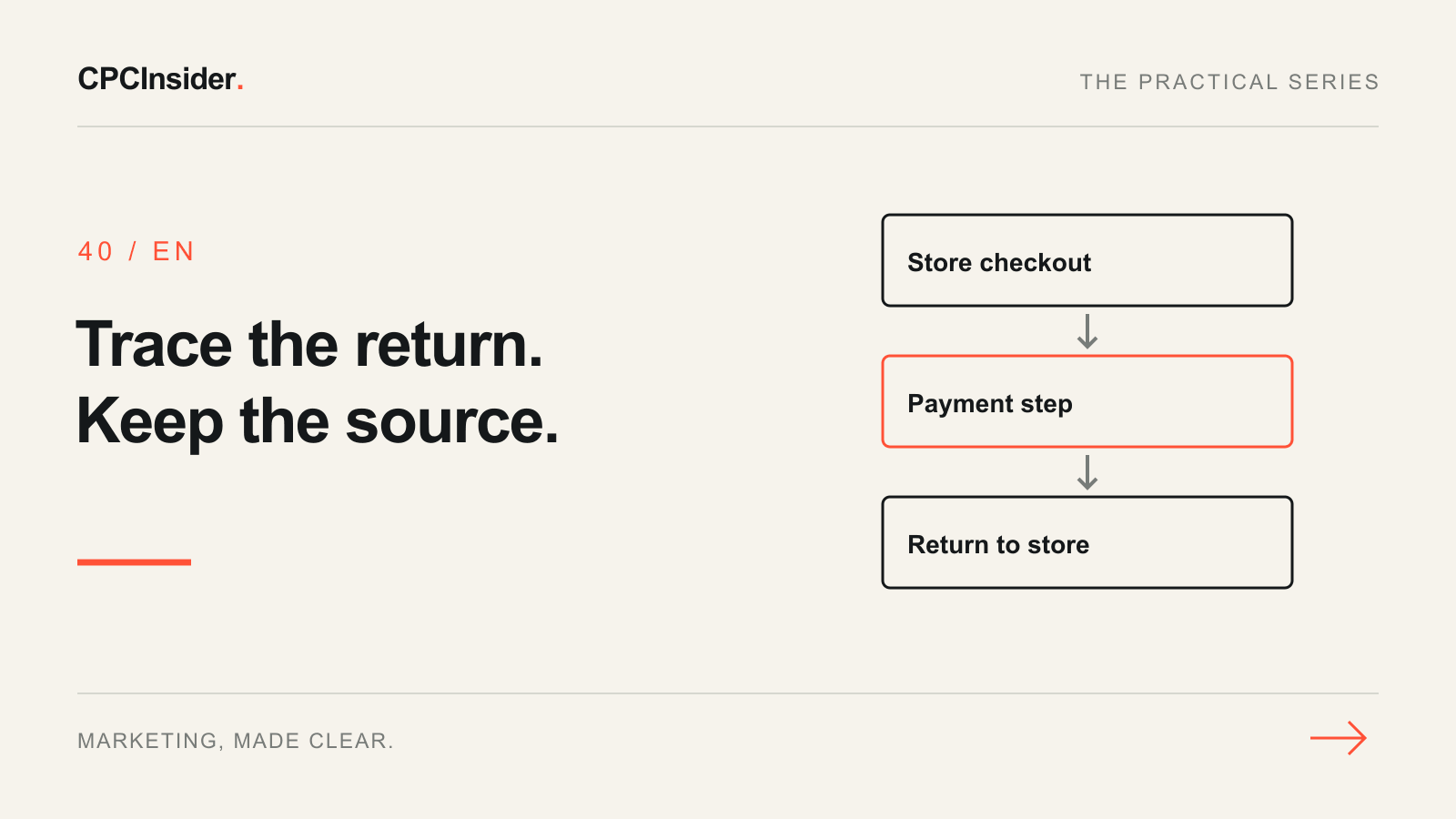
A payment provider appearing as a referral in GA4 is a reason to inspect checkout, not to exclude every unfamiliar domain. First establish whether the website sent a customer to an operational payment step or whether another website genuinely introduced that customer.
This guide is for the person who owns an online store’s measurement and needs a controlled diagnosis. The broader GA4 audit checklist checks the full implementation; this workflow follows the trip from checkout to payment and back.
1. Write down the symptom before changing settings
Use a processed reporting period and record the property, report, dimension and affected hostname. Investigate sessions with Session source / medium. Keep the first-user and event-attribution questions separate: Google’s traffic-source scope guide explains why their answers can differ.
Save the current configuration and ask the store owner which payment journeys are actually in use. A domain name alone is not enough evidence to decide its role.
| Observation | Question to investigate | Next evidence to collect |
|---|---|---|
| Payment hostname appears as a referral | Did the customer leave our checkout and return from it? | One complete browser journey |
| Another domain belongs to our own shop | Is this one measured journey across websites? | Tag IDs and the navigation path |
| A publisher or comparison site sends visitors | Is this genuine customer acquisition? | Actual referring page and destination |
| Purchases repeat after a return or refresh | Is the purchase implementation duplicating activity? | Order reference and purchase-event sequence |
2. Choose the configuration that matches the journey
Google’s unwanted-referral documentation identifies third-party payment returns as a common use case. In the web stream’s tag configuration, review the unwanted-referral list and add a narrowly matched, evidenced payment domain if appropriate. Do not exclude genuine publishers or competitors just because their traffic complicates a report.
For websites you control and can tag together, investigate cross-domain measurement instead: compatible tagging and the _gl linker support continuity. Merely excluding a referrer does not join identities across separate domains. Do not assume you can install your tag on an external bank or payment provider.
Record which setting you changed, its previous value, the domain-matching rule, the owner and the release time. Make one supported correction before trying several fixes together.
3. Work through a fictional checkout example
Imagine a shopper arriving from a tagged newsletter, using pay.example for payment, then returning to the store. An analyst sees pay.example / referral in a session report. This is a hypothetical hostname and scenario, not a real provider configuration or CPCInsider client result.
The proposed test is to confirm that pay.example is an operational step, review the referral setting, then repeat the journey using the same controlled campaign entry. Success means that new processed data reflects the documented journey without the payment step being treated as its own acquisition source. It does not mean that every purchase must be credited to the newsletter under every attribution model.
4. Test the complete journey, including failure paths
Use an approved sandbox or controlled test order. Start with a fresh browser journey, follow the actual campaign link, complete payment and return to the store. Keep test identifiers non-personal.
| Test | Record | Pass condition for this test |
|---|---|---|
| Successful payment return | Entry URL, payment hostname, return URL and consent choice | Return is measured in the intended property |
| Cancelled or failed payment | Resulting page and event sequence | No successful purchase is fabricated |
| Confirmation-page refresh | Purchase sender and order reference | No new order is invented by a page reload |
| Alternate payment method | Its actual hostname and return route | Checked separately rather than assumed equivalent |
Use Google’s implementation troubleshooting tools for immediate collection checks. Respect consent choices; do not force tracking on merely to make a test pass. For purchase duplication, review the transaction-ID guidance: use an appropriate unique order ID rather than a shared or empty value.
5. Validate processed data and document the limit
A working browser test is an intermediate result. Allow for report processing, then compare the same session dimensions for new activity after the change. Keep the original observation and correction date beside the result.
Will this repair historical attribution?
Treat the change as a correction to future collection, not a rewrite of past journeys. Google also explains that previously attributed returning users can still carry an excluded source. Do not label every historical payment referral an implementation failure after the fix.
Will this recover every missing order?
No. A missing purchase, duplicate sender, consent limitation or broken return page needs its own diagnosis. Referral settings cannot reconstruct events that were never collected. Use the measurement plan to assign the remaining work and the UTM guide to keep future campaign entries consistent.
Your release checklist
- Confirm the domain’s real role before excluding it.
- Save the current settings and agree an owner and rollback path.
- Separate referral handling, cross-domain continuity and purchase collection.
- Test success, cancellation, refresh and alternative payment routes.
- Validate new processed data with consistent report scope.
- Keep unresolved gaps visible instead of forcing reports to balance.
Get a clear measurement action plan
Need help identifying which part of checkout is losing attribution? Explore our tracking, attribution and CRM service or book a free 30-minute founder-led growth review. We will discuss your setup and provide three written priorities; implementation is agreed separately, with no obligation to hire us.
About the author
Free founder-led growth review
Can you trust the numbers behind your decisions?
In a focused 30-minute conversation, we review your advertising, website and sales follow-up together. Afterwards, you receive a short written action plan you can use with your own team or with ours.
Your biggest growth gaps
See where your ads, website or follow-up may be losing potential customers.
Your next 3 priorities
Get a ranked action list with the reason for each recommendation and what to check next.
A practical starting plan
Leave with clear next steps for your team, plus our recommendation if you want help implementing them.
Continue reading
GA4 audit checklist: 18 checks before you trust your reports
A hands-on GA4 audit for website owners and marketing teams: verify what is collected, trace real customer actions and separate tracking faults from reporting differences.
Advertising measurement: build a GA4 and CRM measurement plan
Build a GA4 measurement plan with event definitions, Google Ads goals and CRM outcomes. Use a practical worksheet and pre-launch checks.
How to create a UTM naming convention your team can use
Stop splitting campaign reports across inconsistent UTM tags. Use a clear naming template, example links and a GA4 checklist before every launch.